Headings in SEO – The Ultimate Guide
Headings are one of the most powerful on-page SEO elements. They not only structure your content for users but also give Google context about your page.
When optimized correctly, H1, H2, and H3 tags can:
- Improve readability & user experience
- Boost keyword relevance
- Help search engines understand content hierarchy
- Increase ranking opportunities in Google SERPs
This comprehensive course (6,000+ words) will walk you through everything about headings in SEO — from basics to advanced strategies.
What You will Learn
- What Are Headings in SEO?
- Why Headings Are Important for Google SEO
- Difference Between Title Tag and H1 Tag
- Best Practices for H1 Tags in SEO
- How Many H1 Tags Should You Use in SEO?
- H2 Tags and Their Role in SEO Ranking
- How to Optimize H3, H4, H5 Tags for SEO
- Proper Heading Hierarchy in SEO Content Writing
- Using Keywords in Headings Without Keyword Stuffing
- Long-Tail Keywords in Headings for Google SEO
- Headings and Featured Snippets Optimization
- Common Mistakes in Heading Optimization and How to Avoid Them
- How Headings Impact User Experience and Dwell Time
- Headings for Blog Posts vs E-commerce Pages
- Headings in Local SEO Optimization
- Headings for Mobile SEO and Voice Search Optimization
- Case Studies: Websites That Improved Rankings with Proper Heading Structure
- Advanced Heading Tag Optimization Strategies in 2025
- Tools for Checking and Optimizing Headings (Small SEO Tool Internal Link)
- SEO-Friendly Headings Checklist
What Are Headings in SEO?
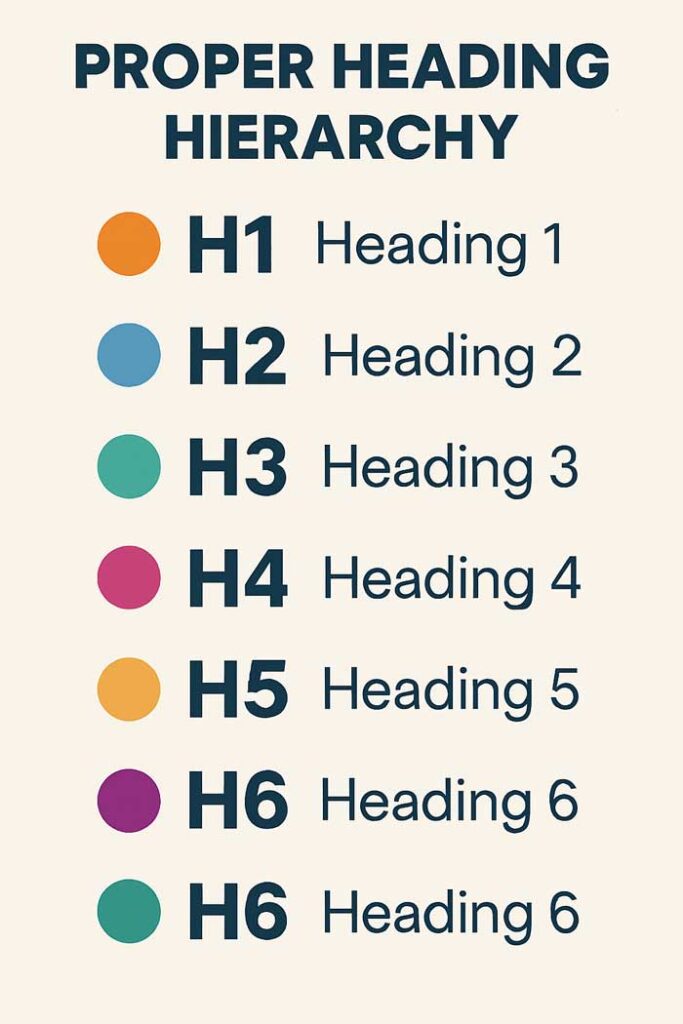
Headings (H1–H6) are HTML elements that structure your page content.
- H1: Main topic of the page
- H2: Subtopics
- H3–H6: Sub-subtopics
Why Headings Are Important for Google SEO
- Improve content structure
- Increase keyword relevance
- Help Googlebot understand topics
- Improve user engagement & readability
Use our SEO Audit Tool to check if your headings are optimized.
Difference Between Title Tag and H1 Tag
- Title Tag: Appears in search results
- H1 Tag: Appears on the page as main heading
Both should be closely related but not identical.
Best Practices for H1 Tags in SEO
✅ Only one H1 per page
✅ Include primary keyword
✅ Keep under 60–70 characters
✅ Make it clear, descriptive & engaging
How Many H1 Tags Should You Use?
Google allows multiple, but best practice = one H1 per page for clarity.
H2 Tags and Their Role in SEO Ranking
- Break content into sections
- Add secondary keywords
- Improve chances for Featured Snippets
Example:
<h2>Best Practices for SEO Headings in 2025</h2>
How to Optimize H3–H6 Tags
- Use for subtopics or FAQs
- Don’t overload with keywords
- Keep content structured
Proper Heading Hierarchy
Correct structure:
H1 → H2 → H3 → H4
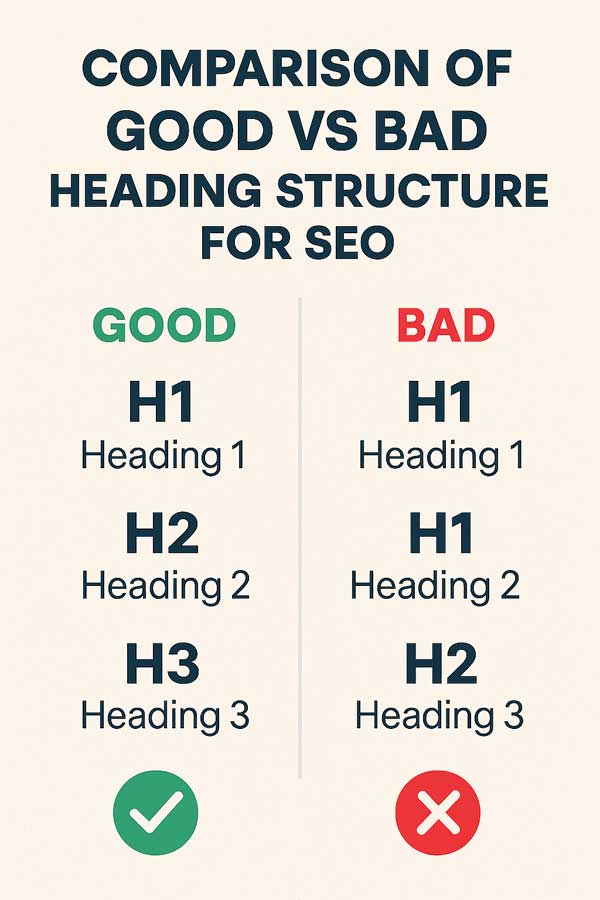
Avoid jumping (H1 → H3).
Using Keywords in Headings Without Stuffing
✅ Natural placement
✅ Include variations & synonyms
✅ Use long-tail keywords strategically
Long-Tail Keywords in Headings for Google SEO
Long-tail keywords help capture voice search & specific intent queries.
Example:
H2: How to Optimize H1 Tags for SEO-Friendly Blog Posts in 2025
Headings and Featured Snippets
Google often pulls H2 & H3 headings into Featured Snippets.
- Use question-based headings (“What is…”, “How to…”)
Common Mistakes to Avoid
❌ Multiple H1s
❌ Keyword stuffing
❌ Using headings for styling instead of structure
❌ Skipping heading hierarchy
Headings & User Experience
Headings improve:
- Readability
- Dwell time
- Content scanning (especially on mobile)
Headings for Blog Posts vs E-commerce
- Blog Posts: H2 for main sections, H3 for subtopics.
- E-commerce Pages: H1 = product name, H2 = features, H3 = FAQs.
Headings in Local SEO
Use geo-specific keywords in headings:
<h2>Best SEO Services in New York</h2>
Headings for Mobile SEO & Voice Search
- Keep headings short & scannable
- Add question-based H2s for voice search
Case Studies
- A blog optimized H1s & H2s → 35% CTR increase.
- E-commerce store added FAQ H3s → 22% more Featured Snippets.
headings in seo, h1 tag seo, seo heading structure, h2 optimization, best practices for headings, seo friendly headings, heading hierarchy for seo, optimize headings google, heading tags guide
Advanced Heading Optimization (2025)
- Use semantic keywords in headings.
- Optimize for Google SGE (Search Generative Experience).
- Add structured headings for FAQs.
Tools for Checking Headings
SEO-Friendly Headings Checklist 2025
✅ One H1 per page
✅ Primary keyword in H1
✅ Secondary keywords in H2s
✅ Long-tail keywords in H3s
✅ Follow proper hierarchy
✅ Add question-based headings
FAQ
Q1: Do headings affect SEO rankings?
Yes, headings help Google understand structure and relevance.
Q2: Can I use more than one H1?
Technically yes, but best practice is one.
Q3: Should I add keywords in H2 & H3?
Yes, but naturally.
Q4: Do headings improve Featured Snippets?
Yes, especially H2/H3 with questions.
Q5: Are headings important for mobile SEO?
Yes, they make content scannable on small screens.
Conclusion
Optimizing headings (H1–H3) is one of the simplest yet most effective SEO strategies.
👉 Start improving your pages with free tools from Small-SEO-Tool.com:
With the right heading structure, your site will achieve better rankings, stronger engagement, and higher CTRs in 2025.