Key Takeaways
- Search engines can’t index your site efficiently if they can’t find your pages — that’s where XML Sitemaps come in.
- An XML Sitemap is a file that lists all important URLs of your website.
- It helps Google, Bing, and other search engines understand your site’s structure and discover new content faster.
- This complete course will teach you everything about XML Sitemaps for SEO, including:What XML Sitemaps areWhy they’re critical for crawling and indexingHow to create and optimize themHow to submit them to Google Search ConsoleHow to fix common sitemap issuesCourse ModulesWhat Is an XML Sitemap in SEO?
- Why XML Sitemaps Are Crucial for SEO and Google RankingHow Search Engines Use XML Sitemaps to Crawl Your WebsiteXML Sitemap vs HTML Sitemap – What’s the Difference?
- How to Create an XML Sitemap for Your WebsiteHow to Optimize XML Sitemaps for Better IndexingHow to Submit XML Sitemaps to Google Search ConsoleBest Practices for Managing Large Websites and Sitemap Index FilesHow Often Should You Update Your XML Sitemap?
Search engines can’t index your site efficiently if they can’t find your pages — that’s where XML Sitemaps come in.
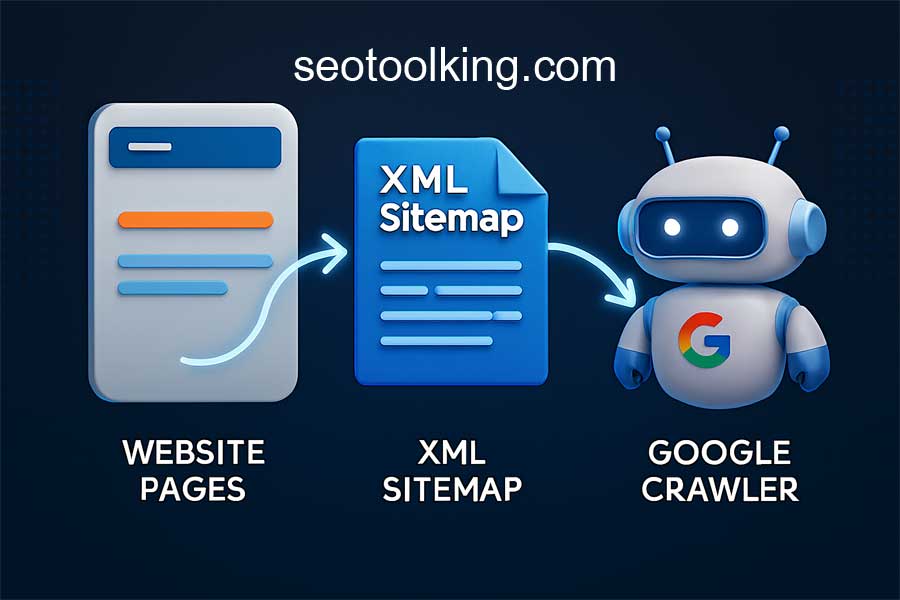
An XML Sitemap is a file that lists all important URLs of your website. It helps Google, Bing, and other search engines understand your site’s structure and discover new content faster.
This complete course will teach you everything about XML Sitemaps for SEO, including:
- What XML Sitemaps are
- Why they’re critical for crawling and indexing
- How to create and optimize them
- How to submit them to Google Search Console
- How to fix common sitemap issues
Course Modules
- What Is an XML Sitemap in SEO?
- Why XML Sitemaps Are Crucial for SEO and Google Ranking
- How Search Engines Use XML Sitemaps to Crawl Your Website
- XML Sitemap vs HTML Sitemap – What’s the Difference?
- How to Create an XML Sitemap for Your Website
- How to Optimize XML Sitemaps for Better Indexing
- How to Submit XML Sitemaps to Google Search Console
- Best Practices for Managing Large Websites and Sitemap Index Files
- How Often Should You Update Your XML Sitemap?
- Common XML Sitemap Errors and How to Fix Them
- XML Sitemap for WordPress, Shopify, and Other CMS Platforms
- How to Exclude URLs and Noindex Pages from XML Sitemaps
- Image and Video Sitemaps – Improve Multimedia SEO
- How to Test and Validate Your XML Sitemap
- Mobile SEO and XML Sitemaps – What You Need to Know
- Advanced XML Sitemap Tips for 2025 (AI, Crawling, Schema)
- Free Tools to Create and Analyze XML Sitemaps (Internal Links)
- XML Sitemap Case Studies – Success Stories and Mistakes
What Is an XML Sitemap in SEO?
An XML Sitemap is a machine-readable file (written in XML format) that lists all the URLs you want search engines to index.
It helps bots discover:
- Pages
- Posts
- Images
- Videos
- Categories
Example:
<urlset xmlns="http://www.sitemaps.org/schemas/sitemap/0.9">
  <url>
    <loc>https://www.small-seo-tool.com/</loc>
    <lastmod>2025-09-29</lastmod>
    <priority>1.0</priority>
  </url>
</urlset>
👉 Use XML Sitemap Generator to create your sitemap automatically.
Why XML Sitemaps Are Crucial for SEO
- Ensures new content is discovered quickly.
- Improves indexation of deep pages.
- Helps search engines understand site structure.
- Essential for large, dynamic, or newly launched websites.
How Search Engines Use XML Sitemaps
Google and Bing use XML Sitemaps to:
- Crawl new and updated URLs.
- Discover pages that aren’t linked internally.
- Prioritize important content using
<priority>and<lastmod>tags.
XML Sitemap vs HTML Sitemap
| Feature | XML Sitemap | HTML Sitemap |
|---|---|---|
| Purpose | Crawlers | Users |
| Format | Machine-readable (XML) | Human-readable (HTML) |
| SEO Role | Crawl guidance | UX navigation |
| Created By | Developer/Tool | Designer |
Both are valuable, but XML sitemaps are essential for technical SEO.
How to Create an XML Sitemap
Option 1: Using SEO Tools
Generate automatically using XML Sitemap Generator.
Option 2: CMS Plugins
- WordPress: Yoast SEO, Rank Math
- Shopify: Automatically generated
- Wix/Squarespace: Built-in sitemap feature
How to Optimize XML Sitemaps
✅ Include only indexable, canonical URLs
✅ Keep file size under 50MB or 50,000 URLs
✅ Use <lastmod> for update frequency
✅ Submit separate image/video sitemaps
✅ Use sitemap index file for large sites
Submit XML Sitemap to Google Search Console
Steps:
- Log in to Google Search Console
- Navigate to Index → Sitemaps
- Enter
sitemap.xml - Click Submit
👉 Check indexation with SEO Audit Tool.
Managing Large Websites
For large websites:
- Split sitemap into multiple files.
- Use sitemap index file to connect them:
<sitemapindex xmlns="http://www.sitemaps.org/schemas/sitemap/0.9">
  <sitemap>
    <loc>https://www.site.com/sitemap1.xml</loc>
  </sitemap>
  <sitemap>
    <loc>https://www.site.com/sitemap2.xml</loc>
  </sitemap>
</sitemapindex>
How Often Should You Update XML Sitemaps?
Update every time you:
- Publish or delete content.
- Change page priority or structure.
- Revise important pages.
Set up automated updates using plugins or cron jobs.
Common XML Sitemap Errors
❌ Invalid URL structure
❌ Noindex or canonical URLs listed
❌ Broken links in sitemap
❌ Missing <lastmod> tags
👉 Test with Broken Link Checker.
XML Sitemap for CMS Platforms
WordPress: Yoast or Rank Math auto-generate sitemaps.
Shopify: Accessible at /sitemap.xml.
Magento/Drupal: Use built-in sitemap modules.
How to Exclude URLs
Exclude:
- Duplicate pages
- Tag archives
- Thank-you pages
- Noindex content
This keeps your sitemap clean and efficient.
Image & Video Sitemaps
Improve multimedia SEO by adding:
<image:image>
  <image:loc>https://www.site.com/image.jpg</image:loc>
</image:image>
and
<video:video>
  <video:content_loc>https://www.site.com/video.mp4</video:content_loc>
</video:video>
14. Testing & Validating Sitemaps
Test your sitemap using:
- Google Search Console
- XML Sitemap Validator Tool
Check for syntax errors, invalid URLs, or empty tags.
Mobile SEO & XML Sitemaps
Google uses mobile-first indexing, so your sitemap must reflect your mobile version URLs.
Ensure canonical URLs point to the mobile-friendly version.
Advanced XML Sitemap Tips for 2025
- Add structured data for rich results.
- Use AI-based sitemap generation to prioritize high-value pages.
- Combine sitemaps with schema markup for entities.
- Regularly audit your sitemap for crawl anomalies.
Free Tools to Manage XML Sitemaps
Case Studies
📌 E-commerce Site: After creating image sitemaps, Google indexed 20% more product images.
📌 Blog: Sitemap cleanup improved crawl efficiency and organic traffic by 30%.
xml sitemap, seo sitemap guide, xml sitemap generator, sitemap google search console, optimize sitemap, sitemap best practices, xml sitemap seo 2025, sitemap index file, sitemap examples
FAQ
Q1: What is an XML Sitemap used for?
It helps search engines discover and index all your important URLs.
Q2: Do all websites need an XML Sitemap?
Yes, especially large or new sites that need faster indexing.
Q3: How many URLs can a sitemap have?
50,000 per file or 50MB in size.
Q4: Should I include noindex pages?
No — include only canonical, indexable URLs.
Q5: How often should I submit a sitemap?
Only once — Google will fetch updates automatically.
Conclusion
A well-structured XML Sitemap is the backbone of a strong SEO strategy. It ensures every page gets the attention it deserves from search engines.
Start optimizing your sitemap today with free tools from Small-SEO-Tool.com:
Related Articles